
18. Prototype - Touch activated Light bulb

In this project, you will learn how to switch on a light bulb with just a touch. We will be using a Human Touch sensor (KY-036) and if you don't know how it works, feel free to look up the previous project.
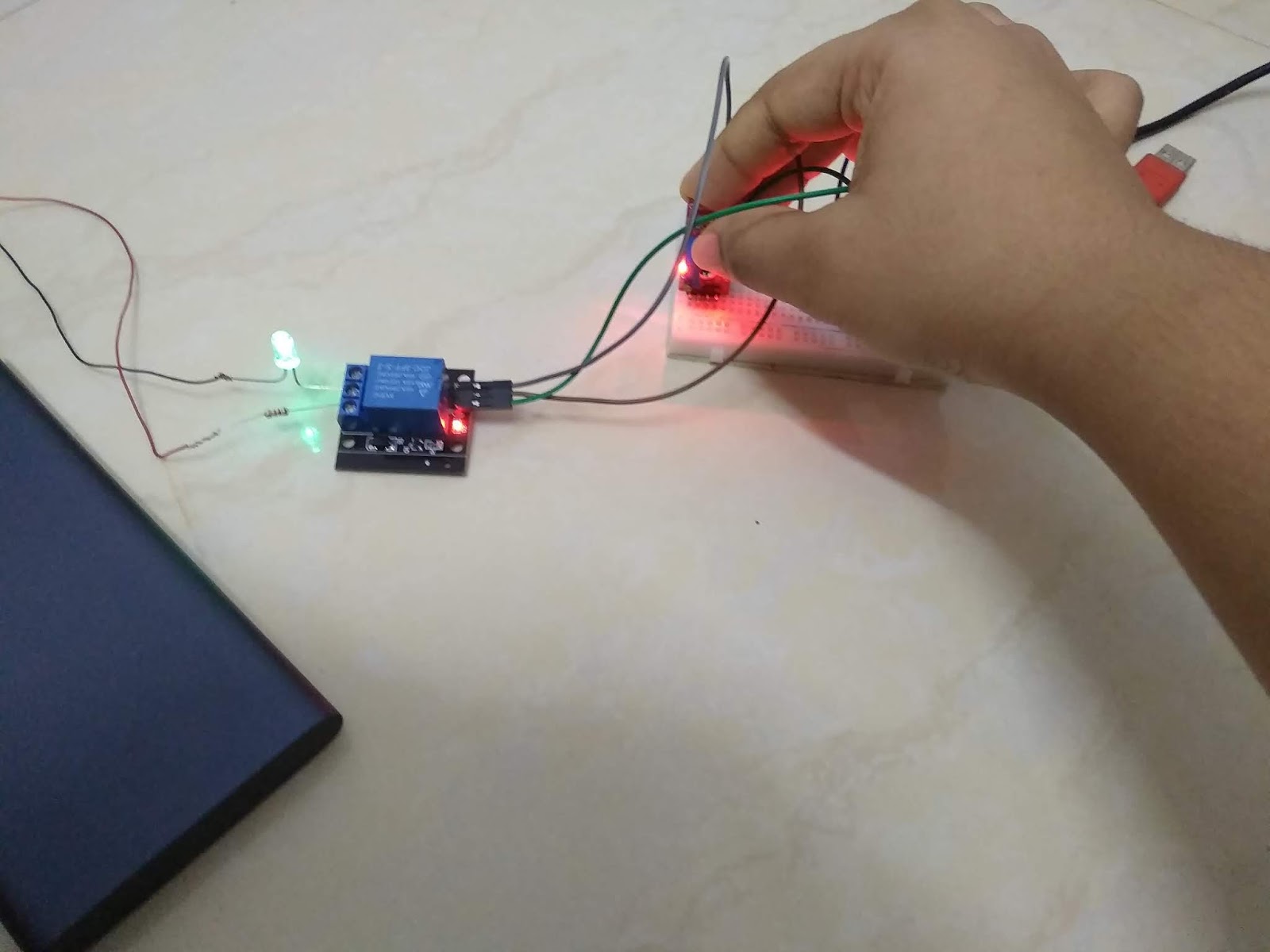
*Precaution: Ensure safety when working with mains electricity. For beginners, I would recommend connecting the LED and 1kΩ resistor to the relay module as a prototype. The LED and power bank will substitute the lamp and the mains electricity respectively.

Supplies

  • Arduino Nano
  • Solderless Breadboard - Mini
  • Human Touch sensor (KY-036)
  • Relay Module
  • LED (any colour)
  • 1kΩ resistor
  • Male-to-male jumper wires (10cm)
  • Female-to-male jumper wires (20cm)
  • Power bank - 10000 mAh
  • USB 2.0 Type A to Mini B cable (For Arduino Nano)
  • USB 2.0 Type A cable (For power bank)

Setup 


For more information about the setup, please watch the YouTube video posted at the bottom of this page.

Connections


  • Relay Module - D5
  • Human Touch sensor - D3
  • (+) of Human Touch sensor - 5V
  • (-) of Human Touch sensor - GND

Coding

Final Look


If anyone has any suggestions or complaints about this project, please feel free to comment below or email me at arduinoprojectsbyr@gmail.com


Comments

  1. How am I supposed to copy the code? its a freakin image...

    ReplyDelete
    Replies
    1. You are not supposed to copy it. You should study and understand the codes before you implement them.

      Delete

Post a Comment

Popular posts from this blog

85. Analog and Digital Clock on Adafruit TFT Display using Arduino

 Hey everyone, Sorry I have not posted in a while. Today, I will be presenting you my Analog and Digital Clock on Adafruit TFT Display using Arduino. You can find the schematic and code explanation within this post. Read on further to learn how I did this project. Hardware components used in this project Arduino Mega 2560 Adafruit 2.8" TFT Touch Shield for Arduino w/ Capacitive Touch - You could also use any other Arduino compatible TFT display DS1307 RTC Module Solderless Breadboard - Half+ (This is optional if you are connecting the RTC module to the development board directly) Jumper wires (x4) - Male/Male jumper wires if using solderless breadboard. Female/Male if connecting RTC module directly to Arduino Mega. Software apps Arduino IDE - latest version is recommended Setup Connections DS1307 RTC Module SCL - A5 SDA - A4 VCC - 5V GND - Ground Adafruit TFT Touch shield You can simply place the Adafruit TFT Touch shield onto your Arduino Mega 2560 development board. Make sure to...

77. Controlling Micro servo Robotic Arm with MPU-6050 sensor module

 Hey everyone! I am back with an interesting project. Today, you will be learning about controlling a Simple 2 axis Robotic Arm, made from Micro servo motors, with an MPU-6050 sensor module. Please feel free to visit my previous blog post to learn about the MPU-6050 sensor module. Hardware components used in this project Arduino Mega 2560 - You could use any other Arduino microcontroller, but make sure you use an external power supply. USB Type A/B cable (for Arduino Mega 2560) MPU-6050 sensor module SG-90 Tower Pro Micro Servo motor (x2) Male-to-Male Jumper wires (x6) Male-to-Female Jumper wires (x5) Setup Schematic MPU-6050 sensor module VCC - 3.3V GND - Ground SDA - D20 (Arduino Mega 2560), A4 (Arduino Uno and Nano) SCL - D21 (Arduino Mega 2560), A5 (Arduino Uno and Nano) INT - D2 Micro servo motor (Roll) S (Yellow/ Orange) - D9 + (Red) - 5V - (Black/ Brown) - GND  Micro servo motor (Pitch) S (Yellow/ Orange) - D10 + (Red) - 5V - (Black/ Brown) - GND Coding As I alread...

70. Arduino Stopwatch and Timer

Hello everyone! Today I am going to explain you about making an Arduino Stopwatch and Timer, which can be used for time based projects. Read on further to learn more about this project. Hardware components used in this project Arduino Uno USB Type A/ B cable Solderless Breadboard - Full+ LCD display module with I2C interface - 16x2 Potentiometer - 10K Push-buttons (x5) Active Buzzer module (KY-012) LED - Red Resistors (x6) - 10kΩ (x5) and 220Ω (x1) Male-to-Male Jumper wires - 10cm and 20cm Jumpers - to reduce the usage of wires Hardware setup Connections 10K Potentiometer S - A0 (+) - 5V (-) - Ground (GND) Active Buzzer module S - D7 (+) - 5V (-) - Ground (GND) 16x2 LCD display module with I2C interface GND - Ground VCC - 5V SDA - A4 SCL - A5 Push-buttons (+) - 5V (-) - Ground (GND) S - D2, D3, D4, D5, D6 Coding Now, I will explain you about how this real-time project works and you can figure out the coding by this idea.  Push-buttons and their functions D2 - Set Countdown timer D3...